You run traffic to CPAgetti offers and check your stats in the network dashboard. Conversions come in, payouts get credited — everything seems fine. But when you need to figure out which creative is actually bringing leads, which GEO is burning out, or where your ROI has been negative for a week — the network dashboard isn't enough.
A CPA network shows conversions. A tracker shows where they came from and what they cost. Without a tracker, you don't know the real cost per lead, can't see cohort-level payback, and can't kill a losing campaign before it drains your budget. For CPAgetti's core verticals — Nutra, Gambling, Betting — this matters even more: conversions often come in with a delay, and without cohort analysis you simply can't tell whether your traffic is paying back or not.
Why Torvex specifically. First, Torvex already has a built-in CPAgetti template — all postback parameters, click_id, and sub-macros are pre-configured. The connection takes a couple of clicks, no manual URL construction required. Second, Torvex is not just a tracker — it's a full platform with cohort analytics, LTV, 60+ breakdown dimensions, auto-rules, and an AI assistant. Everything you need to scale CPAgetti campaigns, in one dashboard.
In this guide — how to connect CPAgetti to Torvex in 5 minutes and get full visibility on every click, offer, and GEO.
Why Torvex
Torvex is a cloud-based performance marketing platform that combines a tracker, analytics, cloaking, anti-fraud, and automation in one dashboard.
What matters for working with CPA networks:
- 140+ pre-built CPA network templates — including CPAgetti. Postback setup takes a couple of clicks
- Cohort analytics and LTV — see how your traffic pays back not just today, but over the following weeks
- 60+ breakdown dimensions — GEO, device, OS, carrier, sub-ID, and dozens more
- Auto-rules — the system pauses losing campaigns and sends Telegram alerts automatically
- Free Community plan — full feature set, limited to 5 active campaigns
The key detail for us: Torvex has a ready-made CPAgetti template. All postback parameters, click_id, and sub-parameters are already configured. No manual URL construction — select the template, save, get your postback.
Adding CPAgetti as an Affiliate Network
Open the Torvex dashboard and go to Affiliate Networks.
- Click + New Network
- In the Load Template field, start typing "Cpagetti" — the template will appear in the dropdown
- Name — Cpagetti
- Click ID parameter — sub1
- Additional URL parameters — sub2={campaign_name}&sub3={source_name}
- Postback URL — a ready-made URL with macros {click_id}, {payout}, {money}, {status}
- Click Save
That's it. The network is connected. No manual URL construction, no fiddling with macros — the template did everything for you.
Setting Up the Postback
Once the CPAgetti template is saved, Torvex generates a postback URL:
https://torvex.dev/api/postback?click_id={sub1}&payout={money}&status={status}
Copy this URL and paste it into the Postback URL field in your CPAgetti dashboard — in the offer or global postback settings.
How it works:
- {sub1} — passes the click ID back to Torvex so each conversion matches the exact click
- {money} — the payout amount CPAgetti sends for the conversion
- {status} — conversion status: approved, pending, or rejected
Sub-parameters explained:
The template pre-configures two additional subs:
- sub2={campaign_name} — Torvex automatically inserts the campaign name
- sub3={source_name} — Torvex inserts the traffic source name
These let you break down stats right inside CPAgetti's interface without extra setup.
Status mapping:
By default, the template maps statuses to your Torvex workspace aliases: approved, pending, rejected. If your CPAgetti offers use different status labels, adjust the mapping in the network settings.
IP Whitelist:
For security, Torvex supports an IP whitelist for incoming postbacks. Add CPAgetti's server IPs in the "IP Whitelist for Postbacks" field as a comma-separated list. An empty field means postbacks are accepted from any IP. For extra security, we recommend filling it in — request the IP addresses from our managers.
Creating a Campaign for a CPAgetti Offer
The network is connected — now let's build a funnel.
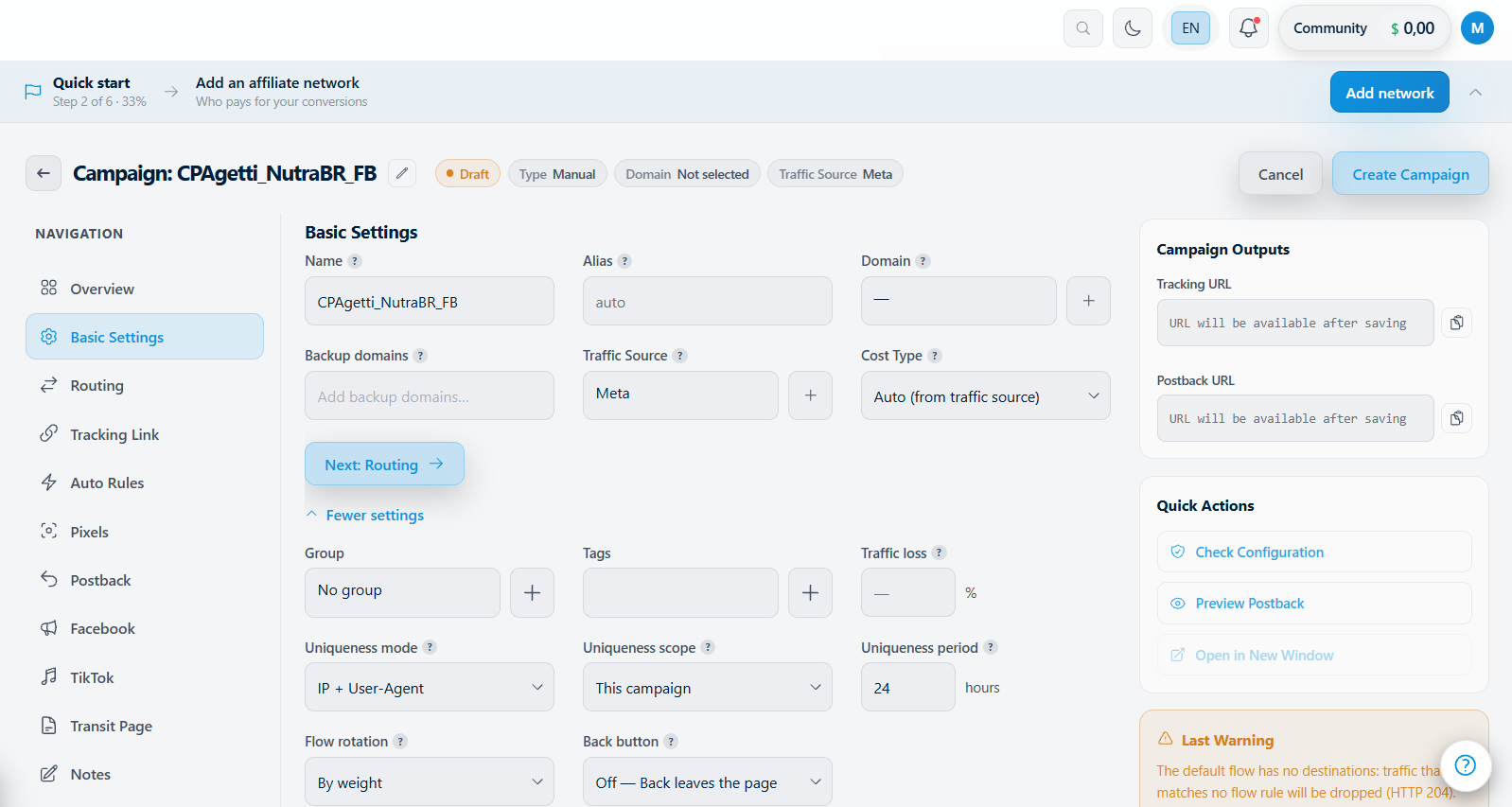
- Go to Campaigns → + New Campaign
- Enter a name — for example, CPAgetti_NutraBR_FB
- Select the traffic source (Facebook, TikTok, Google, etc. — there are ready-made templates for them too)
- Select the affiliate network — CPAgetti, which we just added
- Paste the offer URL from your CPAgetti dashboard
- Add a landing page if needed — you can use Torvex's built-in page builder or your own external URL
- Save the campaign and copy the tracking link
What happens next: when a user clicks on the ad, Torvex records the click with all its parameters (GEO, device, OS, carrier) and redirects to the CPAgetti offer with the click_id in sub1. When a conversion happens, CPAgetti sends a postback to Torvex with the same click_id — and you see the full chain: from click to payout.
What You See in Reports
Once the campaign is running, stats start flowing into Torvex. Here's what you can see for your CPAgetti offers in one dashboard.
Cohort analytics and LTV. A standard network report shows today's conversions. Torvex shows how Monday's traffic cohort pays back by Friday. This is critical for Nutra and Gambling, where real profit comes from delayed payouts.
LTV tracking. Calculate the lifetime value of your traffic segments. Torvex tracks repeat conversions per user, so you know which GEOs and sources generate long-term revenue — not just one-time leads.
60+ breakdown dimensions. Filter stats by any combination of parameters: GEO + device + OS + carrier + sub-ID. For example:
- What's the CR for this CPAgetti offer on iOS in Brazil?
- Which creative delivers the best ROI on mobile traffic?
- Which sub-IDs bring conversions and which just burn budget?
You won't find this level of detail in a network dashboard.
Click date vs. conversion date. This is a detail most trackers get wrong. Torvex lets you attribute conversions to the original click date, not the day the postback arrived. For long-conversion-window offers on CPAgetti, this changes your optimization decisions entirely.
Custom metrics. Build your own calculated columns — EPC, CR, ROI, CPA, or any formula you need. Pin them to your dashboard so you see the numbers that matter at a glance.
Automation and Alerts
Tracking stats manually works when you have one offer. With five or more, you need automation.
Auto-rules. Set conditions and actions that trigger automatically:
- Pause a campaign if daily spend exceeds $X with no conversions
- Switch traffic to a backup offer if the primary drops below target ROI
- Get a Telegram alert when CR spikes or tanks on a specific source
- Rollback — if an automated action worsens performance, the system reverts the change on its own
Rules run continuously. You define the logic once — Torvex handles the rest 24/7.
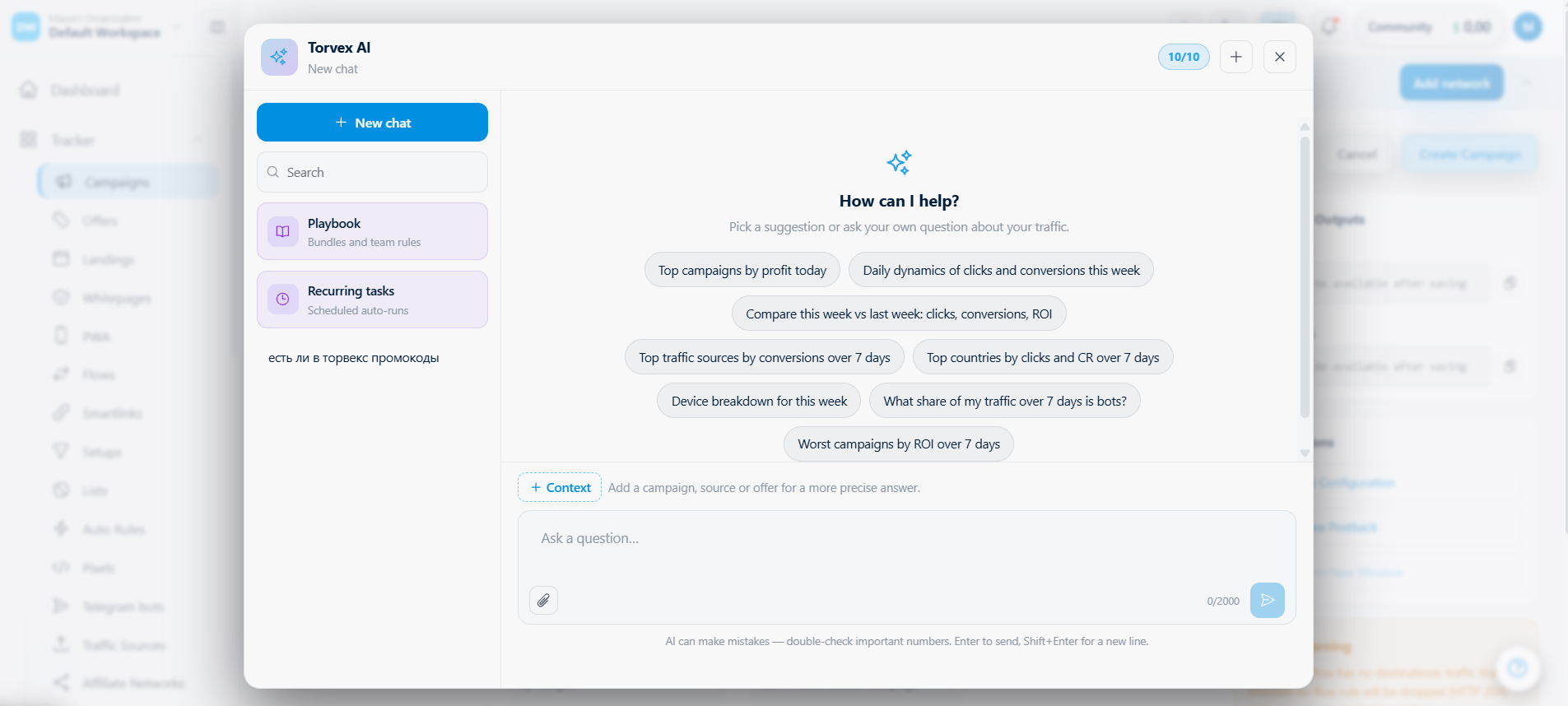
AI Assistant analyzes your campaigns and sends a P&L breakdown via Telegram: what went up, what dropped, and why. Instead of digging through the dashboard every morning, you get a ready-made brief for each CPAgetti offer.
All of this runs 24/7 — even while you sleep, the tracker monitors your campaigns and reacts to problems.
Summary
Connecting CPAgetti to Torvex takes 5 minutes. The ready-made template handles the postback setup, and after that you get what the network dashboard can't give you: cohort analytics, deep breakdowns, auto-rules, and AI-powered analytics via Telegram.
- Register at torvex.io — the free Community plan gives you full functionality with up to 5 active campaigns
- Add CPAgetti — open Affiliate Networks → + New Network → search "Cpagetti" → the template fills everything automatically
- Copy the postback URL and paste it into your CPAgetti dashboard
- Create a campaign, select CPAgetti as the network, paste your offer link, save, and grab the tracking URL
- Launch traffic and watch your stats flow in real time
The entire setup takes five minutes. After that, you get cohort analytics, LTV, 60+ dimensions, and auto-rules — everything you need to optimize CPAgetti campaigns at scale.
Need help with the setup? Reach out to manager @torvex_support. We'll help you configure the postback and launch your first campaign.